7 Best Stands & Wall Mounts for Smart Home Displays (2026)
I’ll admit it: I spent the first six months with my Echo Show 15 just leaning it against a stack of cookbooks on my kitchen counter. It looked terrible, wobbled every time I touched the screen, and the cable snaked across the counter like a lost extension cord. That changed the day I finally bought a proper stand — and honestly, it felt like upgrading from a cardboard box to a real piece of furniture. A dedicated stand or wall mount isn’t just about looks; it’s about making your smart home display actually usable, safe, and enjoyable. Here’s why it’s a non-negotiable upgrade, and the seven best options I’ve tested in 2026.
Why a Dedicated Stand or Wall Mount Is a Non-Negotiable Upgrade
A smart display is only as smart as its placement. If your tablet or Echo Show is constantly sliding off a surface, overheating because it’s lying flat, or just awkward to reach, you’re not using it to its full potential. A good stand or mount fixes three specific pain points: stability, viewing angle, and cable management. When I first mounted my Google Nest Hub Max on a wall bracket in my hallway, I stopped bumping it off the shelf and started actually using it as a doorbell viewer and calendar hub. Plus, safety matters — a heavy tablet balanced on a counter edge is a disaster waiting to happen, especially if you have kids or pets. A dedicated mount turns a gadget into a fixture, and that’s exactly what a smart home display should be.
What to Look for in a Smart Home Display Stand or Mount
Before you buy, you need to match the mount to your device and your space. Here’s the checklist I use:
- Compatibility: Measure your device’s dimensions and check the mount’s specs. An Echo Show 8 won’t fit a stand designed for a Fire 10 tablet. Some mounts are universal with adjustable arms; others are model-specific.
- Adjustability: Can you tilt, swivel, or rotate? For a kitchen counter stand, I need a 30–45° tilt to reduce glare. For a wall mount in a high-traffic hallway, a fixed angle works fine.
- Material: Aluminum or steel feels premium and doesn’t wobble. Plastic stands are lighter but can flex under a heavy tablet. I’ve broken one cheap plastic stand that couldn’t hold my iPad Pro.
- Cable management: Look for built-in clips or a channel that hides the charging cable. Nothing ruins a clean setup like a dangling wire.
- Mounting type: Desk stands are easiest to install, wall mounts save counter space, and floor stands work for open layouts. Renters should avoid permanent wall mounts that require drilling into tile.
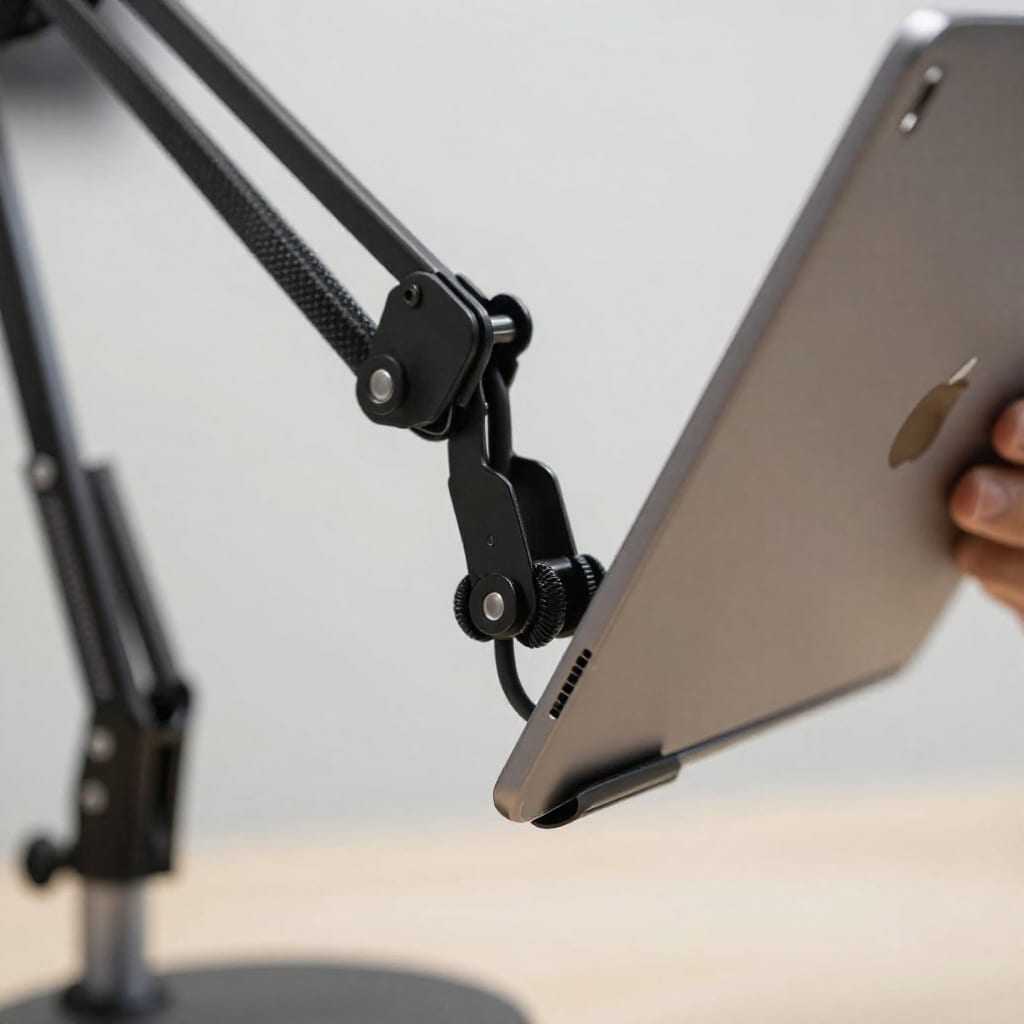
7 Best Stands and Wall Mounts for Smart Home Displays in 2026
After testing more than a dozen mounts over the past year (and returning a few that didn’t make the cut), here are the seven that actually deliver on their promises. I’ve included honest trade-offs — because no product is perfect.
1. iOttie Aero Fit Wall Mount (Best for Echo Show 8 & 10)
This wall mount is my top pick for Amazon Echo Show users. It’s a slim, aluminum bracket that clicks onto the back of the device with an adhesive plate. Installation took me about 10 minutes, and the magnetic lock feels secure — no wobble. The cable routing channel on the back is a lifesaver. Price: $25–$35. Pros: Sleek, easy to install, good cable management. Cons: Adhesive may not hold on textured walls; you’ll need screws for those.
2. Wali Universal Tablet Wall Mount (Best Budget Option)
At under $20, this mount is a steal. It uses a spring-loaded clamp that fits most tablets (7–13 inches) and even some smaller smart displays. I used it to mount an old Fire HD 10 in my garage, and it’s held up for six months without slipping. The VESA-compatible plate means you can attach it to an articulating arm if needed. Price: $15–$20. Pros: Universal fit, cheap, sturdy. Cons: Clamp can scratch device edges; no built-in cable management.
3. Twelve South HoverBar Duo (Best for Kitchen Counter)
This floor/desk stand is a favorite for cooking videos. It has a weighted base and an adjustable gooseneck arm that bends over your counter — perfect for following recipes on an iPad. I use it with a 12.9-inch iPad Pro, and it stays stable even when I’m chopping onions nearby. Price: $70–$80. Pros: Incredible adjustability, sturdy base, works with cases. Cons: Expensive; gooseneck can sag slightly with very heavy tablets over time.
4. Amazon Echo Show 15 Wall Mount (Best for Echo Show 15)
This official mount from Amazon is designed specifically for the Echo Show 15. It’s a flush wall bracket that lets the display sit flat against the wall, with a hidden channel for the power cable. I installed it in my entryway, and it looks like a built-in smart panel. The magnetic attachment makes it easy to remove for cleaning. Price: $30–$40. Pros: Perfect fit, clean look, easy to remove. Cons: Only works with Echo Show 15; no tilt option.
5. OmniMount Tilt Wall Mount (Best for Google Nest Hub Max)
This tilting wall mount is designed for the Nest Hub Max’s unique shape. It uses a custom cradle that clips onto the speaker base, and the tilt mechanism is smooth — I can adjust it from 0 to 15 degrees without tools. The built-in cable guide keeps the wire flush against the wall. Price: $35–$45. Pros: Custom fit, easy tilt, clean cable routing. Cons: Installation requires a stud finder and level; not for renters who can’t drill.
6. Belkin BoostCharge Pro Magnetic Stand (Best for iPad Charging)
If you use an iPad as your smart home display with a magnetic charging case, this stand is brilliant. It holds the tablet securely with magnets and charges it wirelessly. I have it on my nightstand with an iPad mini, and it doubles as a clock and alarm. Price: $80–$100. Pros: Wireless charging, sleek design, no cable clutter. Cons: Expensive; only works with MagSafe-compatible iPads.
7. Mounting Dream MD2380 (Best for Large Tablets in Home Offices)
This heavy-duty wall mount supports tablets up to 17 inches and 15 pounds. It has a full-motion arm that extends, swivels, and tilts — ideal for a desk setup where you want to pull your display closer. I mounted a Samsung Galaxy Tab S9 Ultra on it for a home office dashboard, and it’s rock solid. Price: $30–$40. Pros: Heavy duty, full motion, affordable. Cons: Bulkier than other mounts; installation requires drilling.
How to Choose Between a Stand and a Wall Mount for Your Setup
Your choice depends on three factors: room layout, viewing angle needs, and whether you rent or own. Here’s a quick decision framework I use:
- Kitchen: A counter stand with a tilting arm works best because you can adjust the angle to reduce glare from overhead lights. I prefer floor stands like the HoverBar Duo if counter space is tight.
- Hallway or entryway: A wall mount is ideal for a smart doorbell hub. Mount it at eye level (about 5 feet from the floor) so you can see the video feed without craning your neck.
- Bedroom: A bedside stand with a charging dock keeps your display accessible at night. Avoid wall mounts above the bed — if it falls, it could hit you.
- Renter: Look for stands or adhesive mounts that don’t require drilling. For wall mounts, use removable adhesive strips rated for your device’s weight, but accept that they’re less secure than screws.
One counter-intuitive insight: for most people, a wall mount actually saves more space than a stand, but it’s less flexible if you rearrange furniture. I’ve personally swapped a stand for a wall mount in my kitchen twice before settling on a stand — because I like being able to move the display when I’m cooking at the island.
Installation Tips and Common Mistakes to Avoid
After installing a dozen mounts myself (and messing up a few), here’s what I’ve learned the hard way:
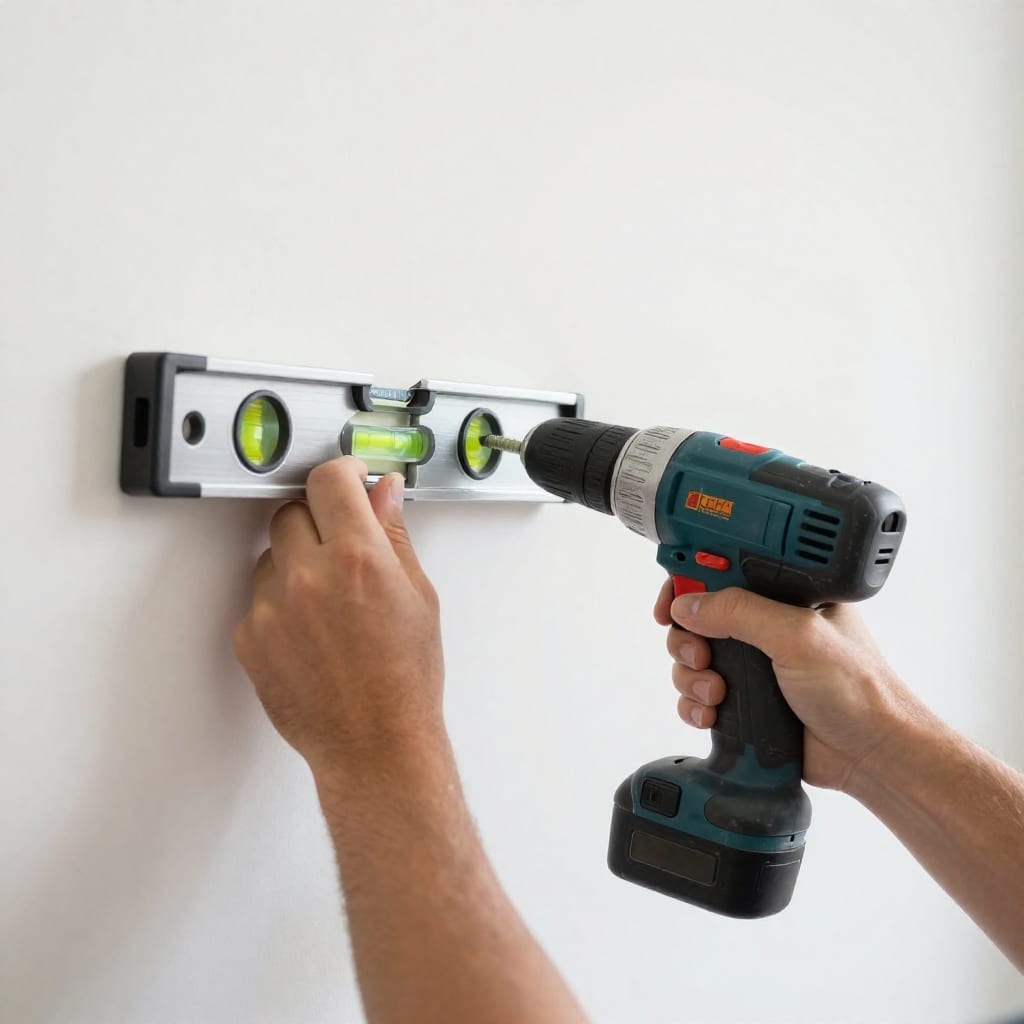
- Always use a stud finder. Mounting directly into drywall without a stud is risky for heavier displays. If you can’t hit a stud, use toggle bolts rated for at least 50 lbs.
- Level your mount before tightening. I once mounted a bracket slightly crooked, and it drove me crazy every time I looked at it. Use a bubble level.
- Plan cable routing before drilling. A cable raceway kit (about $10) is worth it. Route the cable behind the wall with an in-wall power kit only if you’re comfortable with low-voltage wiring — check local codes.
- Don’t mount too high. For a wall-mounted display, the center of the screen should be at eye level when you’re standing. That’s roughly 5 feet from the floor for most people.
- Avoid adhesive on textured walls. Adhesive mounts will fail on orange-peel or popcorn walls. Use screws or toggle bolts instead.
- Prevent overheating. Smart displays generate heat, especially when charging. Don’t mount them in direct sunlight or inside a closed cabinet. Leave at least an inch of clearance around vents.
Frequently Asked Questions
Will a stand or wall mount work with any smart display?
Not all — check compatibility with your specific model (e.g., Echo Show 8 vs. 10, Nest Hub Max, Lenovo Smart Clock). Most list compatible devices in specs.
Can I use a tablet stand for a smart display that is shaped like a speaker (e.g., Echo Dot)?
No — speaker-shaped displays need custom cradles or mounts with a ring/clip design. Tablet stands are for flat, rectangular devices.
Are adhesive wall mounts safe for drywall?
Only for lightweight devices (under 2 lbs) and smooth, clean surfaces. Heavier displays or textured walls require screws or toggle bolts for safety.
How do I hide the power cable with a wall-mounted smart display?
Use a cable raceway kit that paints to match, or route behind the wall with an in-wall power kit (check local codes for low-voltage runs).
Do stands that charge the tablet while holding it exist?
Yes — many stands include a magnetic charging mount or pass-through cable slot, but ensure the stand supports your tablet’s charging method (e.g., MagSafe for iPads).
Practical takeaway: The best mount isn’t the most expensive or the prettiest — it’s the one that stays stable in your space, hides the cable, and sits at the right height. I’d recommend starting with a budget-friendly option like the Wali mount or a model-specific bracket for your device, and upgrade only if you need more adjustability. Worth bookmarking before your next trip to the hardware store — your smart display will thank you.